
So, you would like to run your Fact or Fiction quiz?
Wise choice! How to continue?
First, carefully read all the information below.
Fact or Fiction Facts
- The Fact or Fiction quiz can be run anywhere in New Zealand. At present the quiz is to be run in a DIY way, Fact or Fiction does not supply quizmasters. At least not yet.
- Fact or Fiction does not organise venues, that’s up to you to organise.
- A quiz normally takes about 2 to 2½ hours, or about 15 minutes per round.
- Fact or Fiction does not supply prizes, that’s all left up to you.
- The Fact or Fiction quiz is a team event where all the answers are written down and checked after each round.
- To have a bit of a competition it’s best to have 6 teams or more and ideally the teams have a similar number of team members.
Equipment Needed / Tech Talk
The Fact or Fictions quiz is a multimedia quiz made in Microsoft PowerPoint and displayed using the (free) Microsoft PowerPoint Viewer. Since these are both Microsoft products you will need a device running Microsoft Windows (like a PC, laptop or Windows tablet) to be able to run the quiz. To be able to play the video clips in the questions smoothly Fact or Fiction recommends a device with at least an Intel i3 processor (or comparable), running at least Windows Vista and having at least 4GB of RAM. It is also recommended to have the quiz on the hard drive of the device to prevent a nasty surprise in case the CD-ROM or a USB stick with the quiz fails while running the quiz.
To run the scoreboard you will either need Microsoft Excel or the (free) LibreOffice Calc, which can be downloaded here.
You will also need one or more big (widescreen) televisions or a projector to make sure everyone attending your venue is able to see the questions.
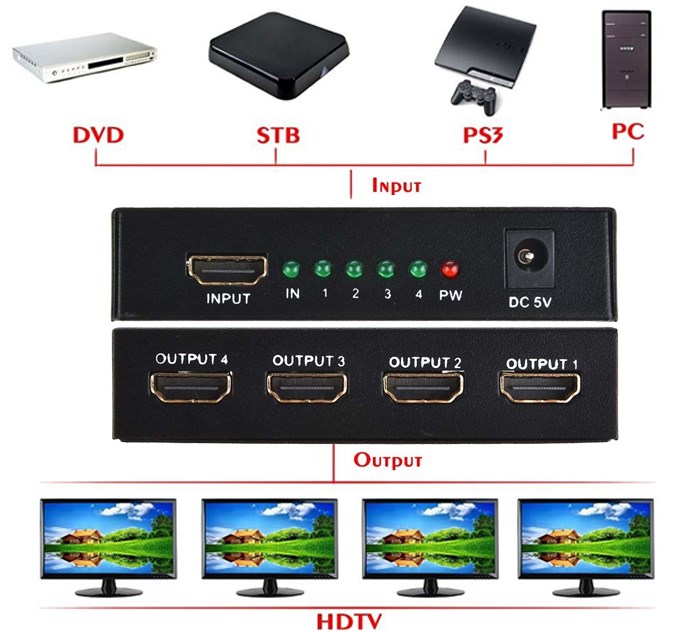
To display the quiz in the best quality you should connect the HDMI input of the screen(s) at your venue to the HDMI output (or DisplayPort or DVI via a converter) of your Windows device. Do NOT make the mistake of using a so called ‘PC to TV converter’, these devices take the high quality computer signal and degrade it dramatically to a so called CVBS signal, they are obsolete. If you have multiple screens at your venue then you most likely already have a signal splitter. If not you should get a good HDMI splitter, this will take the high quality computer signal as input as send it to multiple outputs using the same high quality signal.
Example of an HDMI splitter:
For the sound you use the sound output of the computer. This can be done by connecting the digital output (optical or coaxial) or the analogue output (3.5mm mini jack into line-out connection) of your computer to the sound system of your venue.
Instead of just showing the questions on the screen you might want to read them out as well, in which case you will need a microphone hooked up to your venue’s sound system.
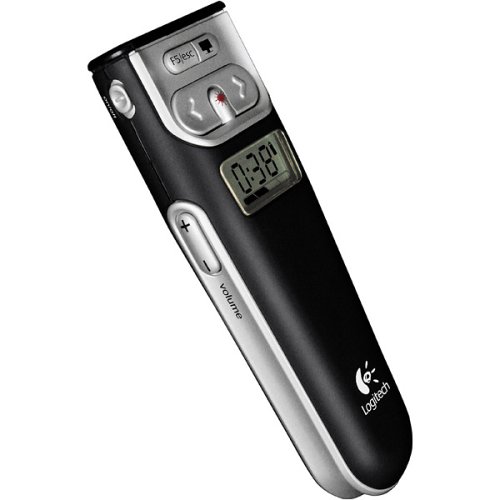
A very handy thing to have is a Wireless Presenter, this is a remote control that lets you control the quiz’ slideshow so you don’t have to physically be at the computer running it. Fact or Fiction recommends one that has a volume control as well.
Example of a wireless presenter:
Read all the info?
Then download the Application Form, fill it in, and send it back (could be a scan or photo of it) to the email address mentioned on the form.